Today I Learned

Apr 20, 2026

Cmd + Shift + 1

I just stumbled over the fact that Command + Shift + 1 is actually a Macintosh shortcut to eject floppy disks. Well, I guess in 2026, nobody's using floppy disks anymore. That's why it's pretty safe to reassign that shortcut. I set it to capture text on my screen with CleanShot because this is one of my most favorite use cases. And hell yeah, this workflow feels good.

Apr 17, 2026

Cursor Agent Windows might be my new favorite workflow

I love the convenience of applications like Conductor and the user interface on top of agent orchestration. However, I've recently found myself returning to the files, tweaking CSS, and adjusting pixels with small increments through many iterations. This workflow often disrupts my context in agent windows. I appreciate the new agent window from Cursor, and the transition to the editor window has become a workflow I truly enjoy. I start and plan with the agent, then iterate in the editor. It's the best of both worlds.

Apr 16, 2026

Copernicus image of the day

Copernicus is a space program from ESA and is focused on Earth explorations. The cool thing is that there is a newsletter that shares an image from Copernicus with you every day and it always has a nice connection to current happenings in the world. And it's a really nice newsletter that I love to enjoy every morning. Copernicus image of the day

Apr 15, 2026

Making things dumber and simpler

I recently heard somebody sharing a very interesting prompt: Let's step back and think really hard: how can we make this simpler and dumber while still achieving our goals? This is such a good addition to my workflow and I'm using it 20 times a day.

Apr 14, 2026

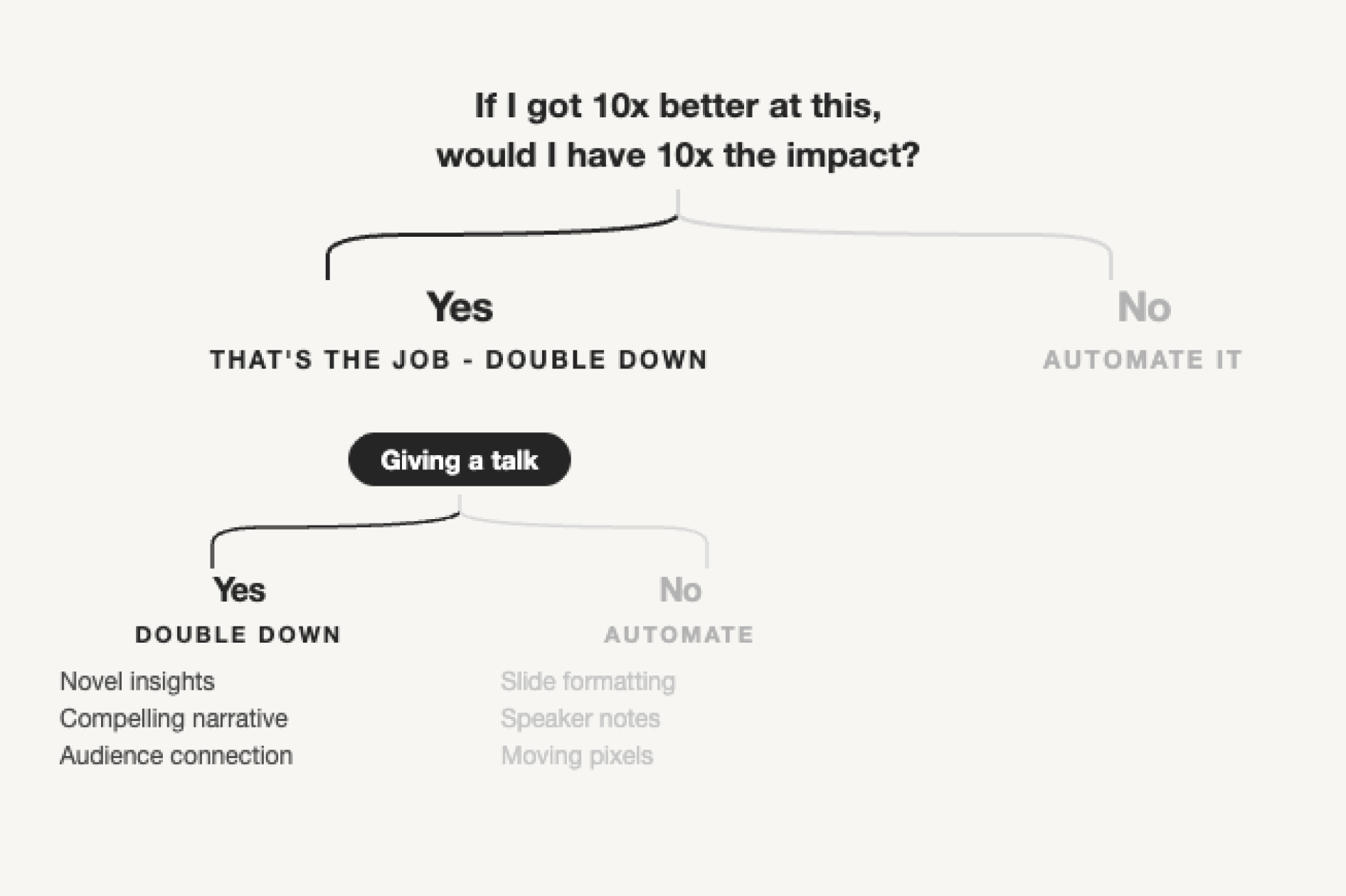
Focus on 10x impact

In one of the recent "How I AI" podcasts, I came across a slide that intrigued me and sparked my thoughts. Now, I constantly wonder if this is truly worth my attention and whether I will improve tenfold if it genuinely delivers ten times the impact.

Apr 10, 2026

Sudoko was not invented in Japan

I always thought, based on the name, that it was a Japanese creation. However, it was actually developed by an American architect in 1979 and called "Number Place." Japan simply rebranded it and made it popular. Playing it regular recently and it’s such a fun little thing to do!

Apr 9, 2026

Figma saves your last typography style

Figma keeps track of the last typography style you interacted with, which might seem simple but is quite useful. This means that by clicking on an existing text field that uses the desired style, I can speed up my workflow significantly. I just hit T and start writing, rather than writing first and then switching the style afterward. Little things like this add up.

Apr 7, 2026

The Hyper Key ✦

I’m a sucker for keyboard shortcuts. One of my favorite new ones is the hyper key (✦), which basically combines ⌃⌥⌘⇧. Yep, that’s impossible to press. I combined it with Raycast, mapped it to my Caps Lock key, and assigned it to a bunch of commands to open apps. ✦F = Figma, ✦S = Slack, etc. Timesaver and endless possibilities!

Apr 4, 2026

life-os

I just stumbled over life-os by Gabriel Vadivia. It’s a super interesting, markdown based knowledge base, journal and diary and looks very interesting to me. I struggled a lot with creating something like this because I really overthought the folder structure. Just letting Claude run and maintain that in the background sounds so good.

Apr 2, 2026

Using Raycast scripts to redeploy websites

I'm currently building this TIL section within Notion because it's just the easiest and most convenient for me. But every new entry requires a redeploy. I now set up a custom script with a redeploy hook on Vercel so I can redeploy my website just with a Raycast command. Big time saver.

Apr 1, 2026

The Keyboard “i” activates the YouTube Mini Player

I’ve been quite enthusiastic about keyboard shortcuts lately. I looked for a way to reactivate the mini player in the Dia browser while watching a video with another tab active. It turns out that pressing "I" on your keyboard in YouTube activates their mini player. This also resolved my Dia issue!

Mar 31, 2026

Using the Chrome DevTools MCP as a design tool.

I stumbled upon the Chrome DevTools MCP and set it up with Claude Code. It's especially useful for making small updates or running experiments on an existing page. This feels great. Currently, my biggest challenge is making quick iterations on existing pages with AI when I don't have direct access to the code. This remains a significant issue in large companies, where there's a clear separation between designers and developers, or in unconventional agency setups. Overall, this is a pretty cool solution. Now I just have to make it persistent somehow.